

Product & design
How to document product flows with screenshots
Capture a user journey in Chrome, annotate the important moments, and turn an ordered screenshot flow into a useful design review.
Read article
Chrome extension for capturing website user flows
Document onboarding, checkout, or any website journey with screenshots you choose. Organize steps, add annotations, and export to PDF, PNG, or Figma.
Your screenshots have a story. Spare them the Downloads folder. No account needed. Screenshots stay on your device.


How it works
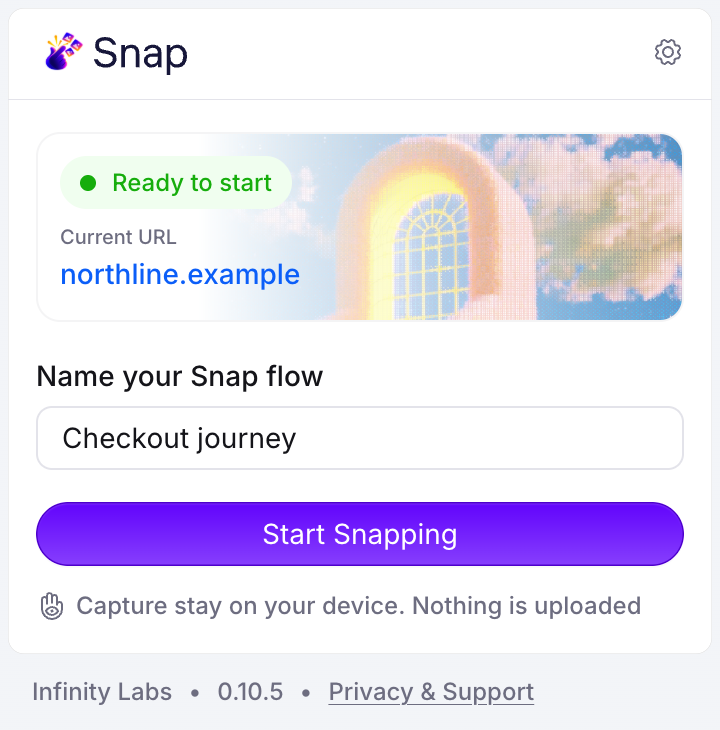
Open Snap on any website, name the journey, and press Start Snapping. A small toolbar appears on the page.

Capture the visible area, drag to select a region, or stitch the full page. Press ⌥⇧S without leaving the page.
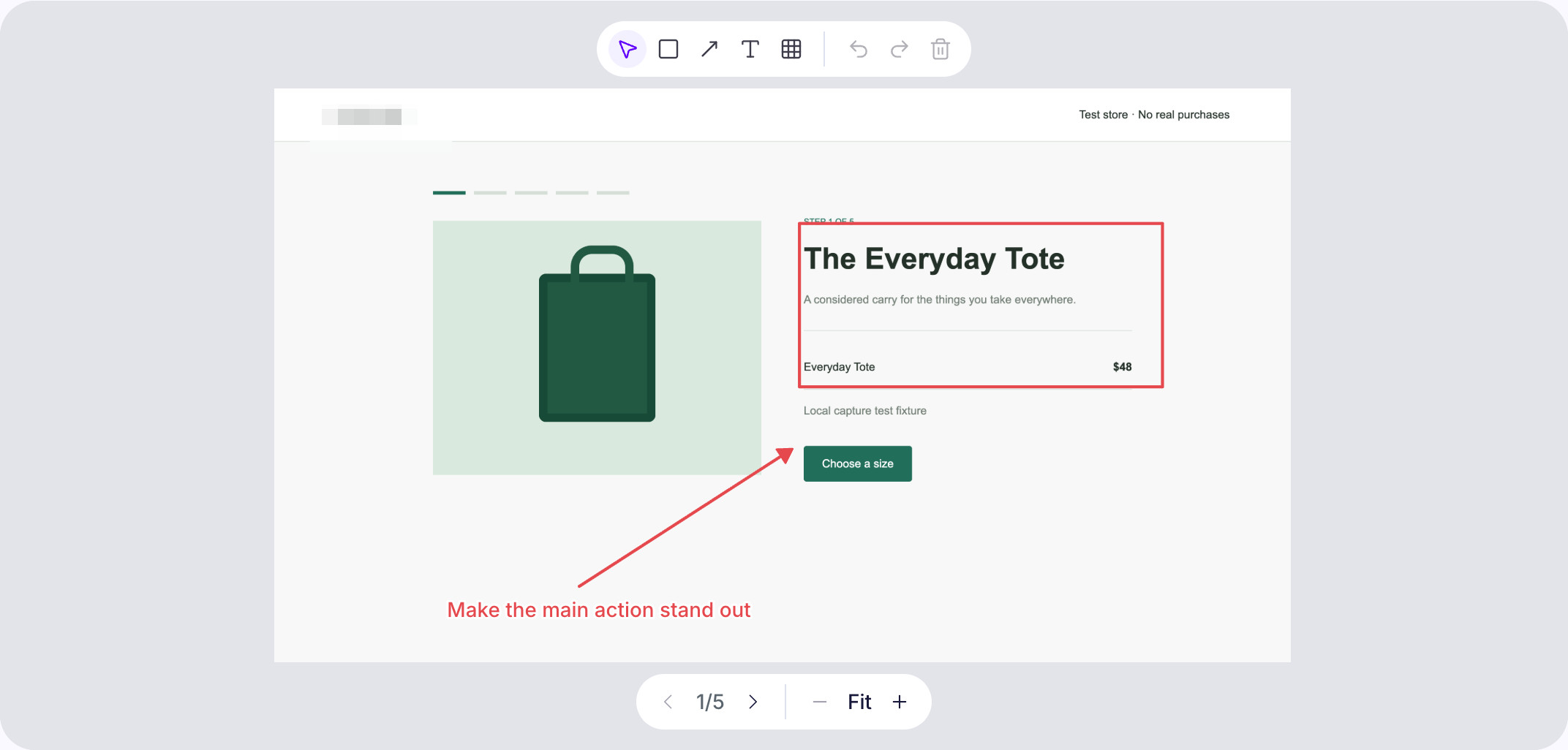
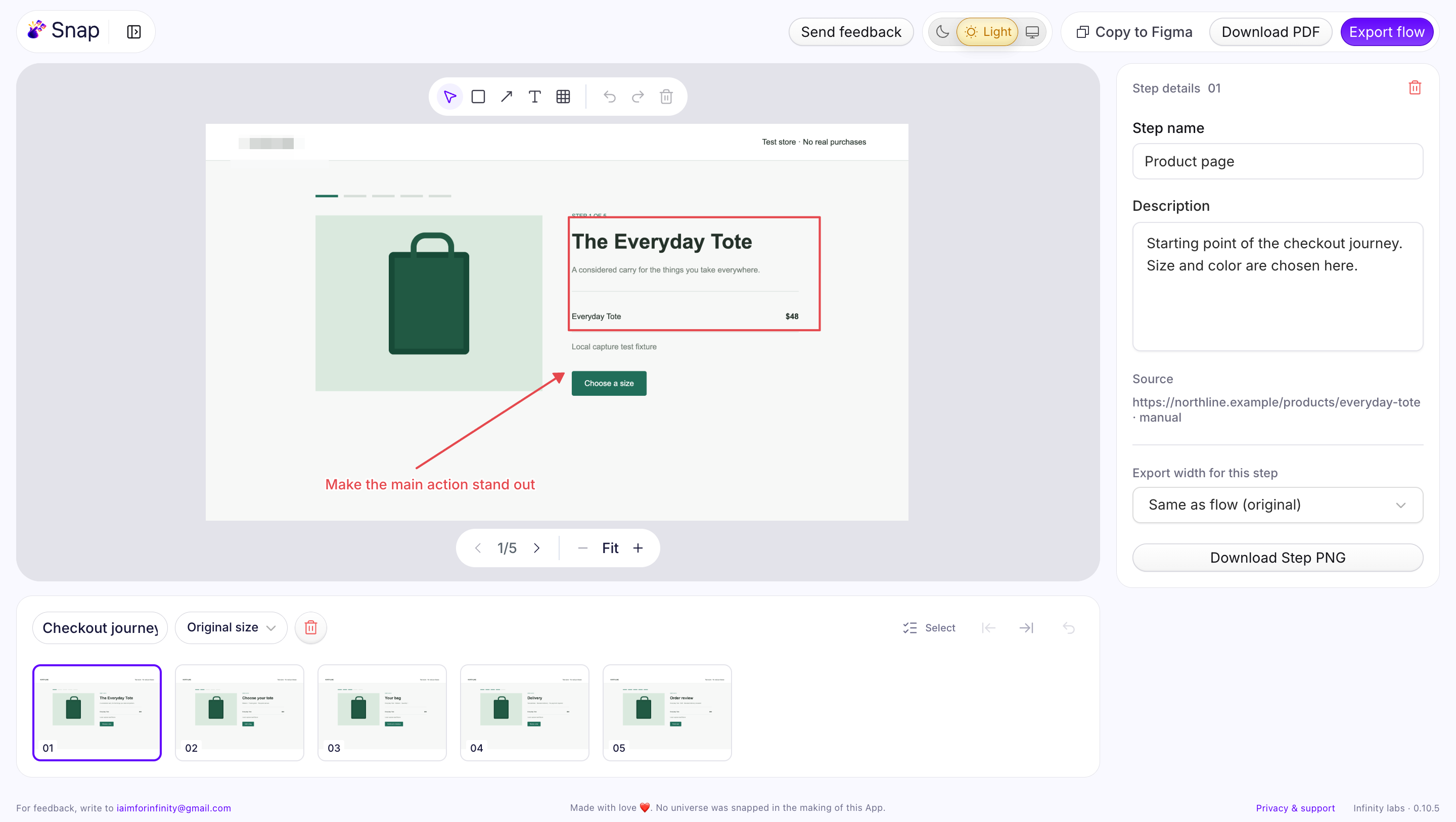
Reorder steps, add notes, annotate or redact, then export PNG, ZIP or PDF, or paste the flow straight into Figma.
Features
Visible area, a selected rectangle, or the full page stitched automatically, with fixed headers shown once.
Rectangles, arrows and text call out what matters. Redact pixelates sensitive areas in every export. Originals stay untouched.
Drag or use the keyboard to reorder, rename steps, add descriptions, and restore anything you remove.
Single PNGs at any width, a numbered ZIP with flow notes, print-ready PDF, or copy the whole flow into Figma.
A fixed shortcut to snap, arrow keys through steps, and shortcuts for every annotation tool.
A calm editor in both themes, following your system or your choice, with a toolbar that stays out of your screenshots.
PDF export
Download PDF turns a flow into a clean, branded document: one page per step, ready for a review, a client deck or a bug report.
Local by design
Snap has no account, no cloud sync, no analytics and no AI processing. Flows are stored in your Chrome profile and encrypted at rest. You decide what gets exported and shared.
Read the privacy policyactiveTab, scripting and storage. No all-sites access.FAQ
No. Snap only saves the screenshots you take, one step at a time. There are no automatic captures when you click, scroll or navigate.
In your Chrome profile on this device, encrypted. Export anything important before removing the extension or clearing browser data.
Yes. Draw a redaction over any area and it is pixelated in every PNG, ZIP, PDF and Figma export. Your original capture is kept unchanged in the editor.
On normal web pages, yes. Browser-internal pages and incognito tabs are excluded. When you move to a new site, Chrome may ask you to open Snap again to grant access.
Up to 120 steps or about 200 MB per flow. Full-page captures stitch up to 30 screens.
From the Snap blog
Practical guides for product reviews, bug reports, and step-by-step documentation.
Product & design
Capture a user journey in Chrome, annotate the important moments, and turn an ordered screenshot flow into a useful design review.
Read articleQA & engineering
Make browser bugs easier to understand with ordered screenshots, clear reproduction steps, expected results, and focused annotations.
Read article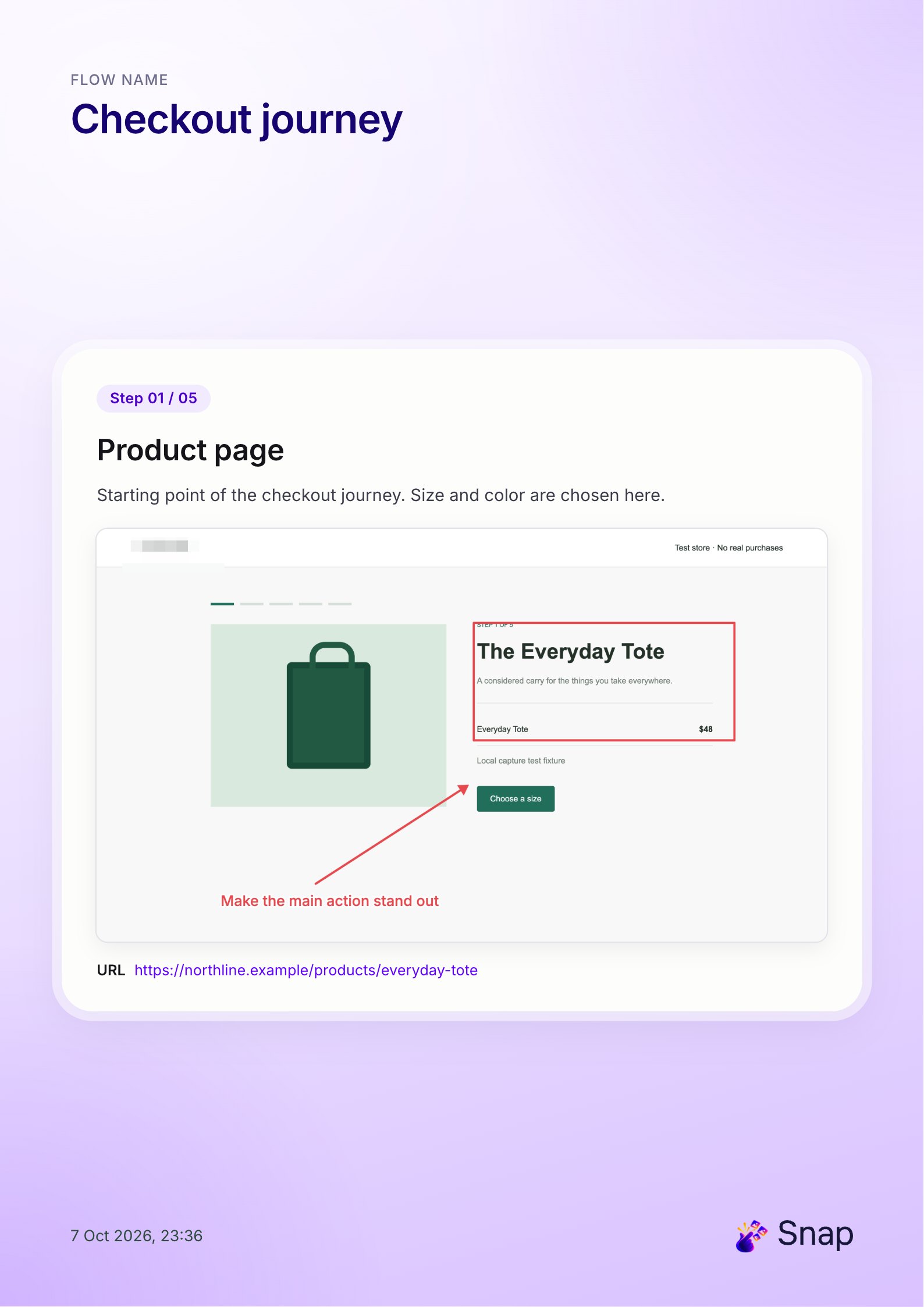
Documentation & support
Turn a browser workflow into a clear PDF guide with ordered screenshots, concise instructions, annotations, and a final sharing review.
Read article
Install it from the Chrome Web Store and snap your first flow in a minute. No account needed.