

Chrome拡張機能(日本語)
複数のスクリーンショットを1つのPDFにまとめる方法【無料Chrome拡張】
Chromeで撮ったスクショを順番どおり1つのPDFに。注釈・墨消し・ページ全体キャプチャにも対応。日本語表示・無料・アカウント不要。
記事を読むThe Snap blog
Screenshot tool comparisons and practical guides for product research, design feedback and clear documentation.
Chrome拡張機能(日本語)
Chromeで撮ったスクショを順番どおり1つのPDFに。注釈・墨消し・ページ全体キャプチャにも対応。日本語表示・無料・アカウント不要。
記事を読む
マニュアル作成(日本語)
手順書の基本構成、書き方のコツ、赤枠・矢印・墨消しまで。Excelやパワポに1枚ずつ貼らずに作る方法。
記事を読む
Design workflows
Capture website screenshots in Chrome, organize the steps and copy a numbered flow into Figma with Snap. See the workflow and exactly what transfers.
Read articleCapture methods
Compare full-page screenshots and screenshot flows. Learn when to capture a long page, when to capture UI states, and how to choose the right export.
Read articleDocumentation & support
A free 8-part SOP template, a 7-step capture process and a sample SOP PDF you can download.
Read article
Documentation & support
Plan by role and task, capture each chapter as a screenshot flow and keep the manual current. Includes a sample chapter PDF.
Read article
Chrome troubleshooting
Fix missing sections, repeated headers and incomplete full-page screenshots in Chrome. Learn what to check and when separate captures work better.
Read articleTool comparisons
Compare GoFullPage alternatives for screenshot flows, image editing and screen recording. Choose a Chrome extension based on what you need to share.
Read articleChrome extensions
Compare Chrome screenshot extensions that work without sign-up. Choose between screenshot flows, image editing and optional link sharing.
Read article
Visual feedback
Compare Chrome extensions for screenshot annotation, product flows and webpage highlights. Find the right tool for clear visual feedback.
Read article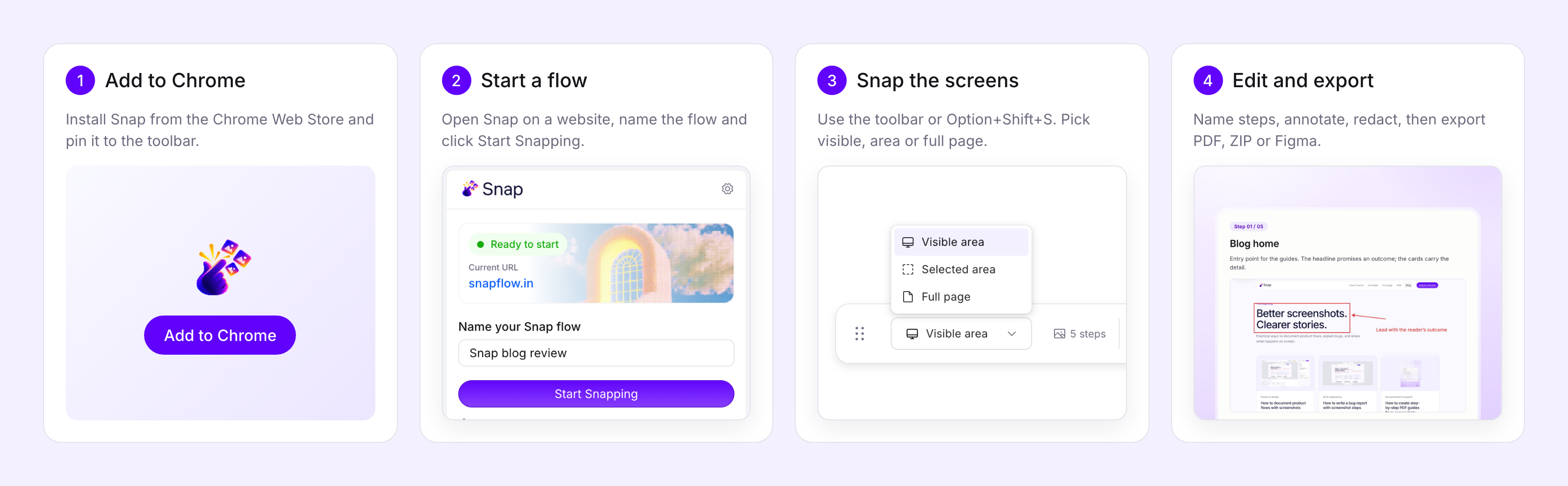
Getting started
Install Snap, capture your first flow, annotate it and export a PDF, ZIP or Figma paste in about five minutes.
Read articleChrome extension
Capture web pages in Chrome and save them as one tidy PDF, one step per page, with notes and annotations.
Read article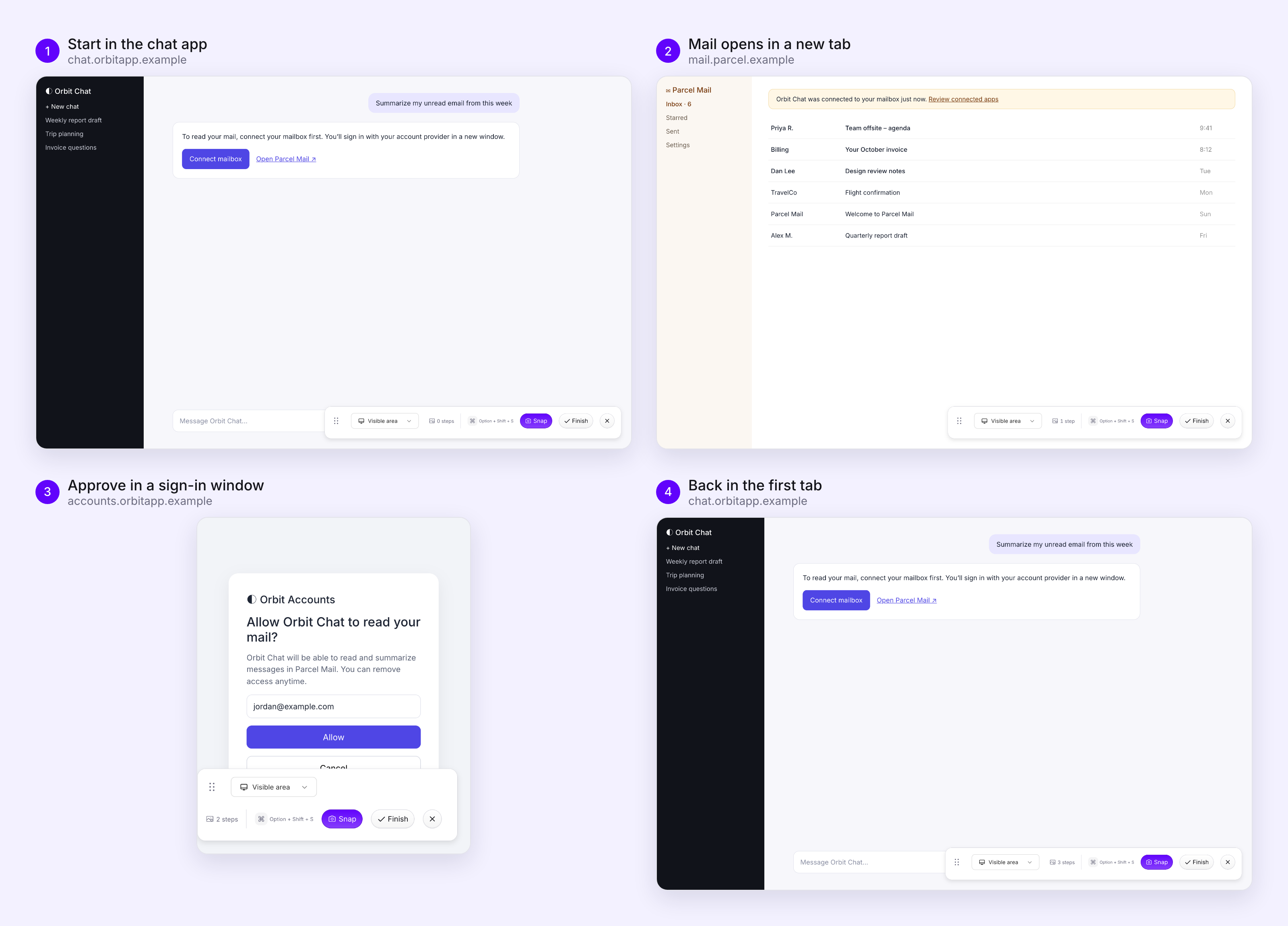
Screenshot workflows
Document flows that open new tabs, jump to other sites or pop up a sign-in window, without losing a step.
Read article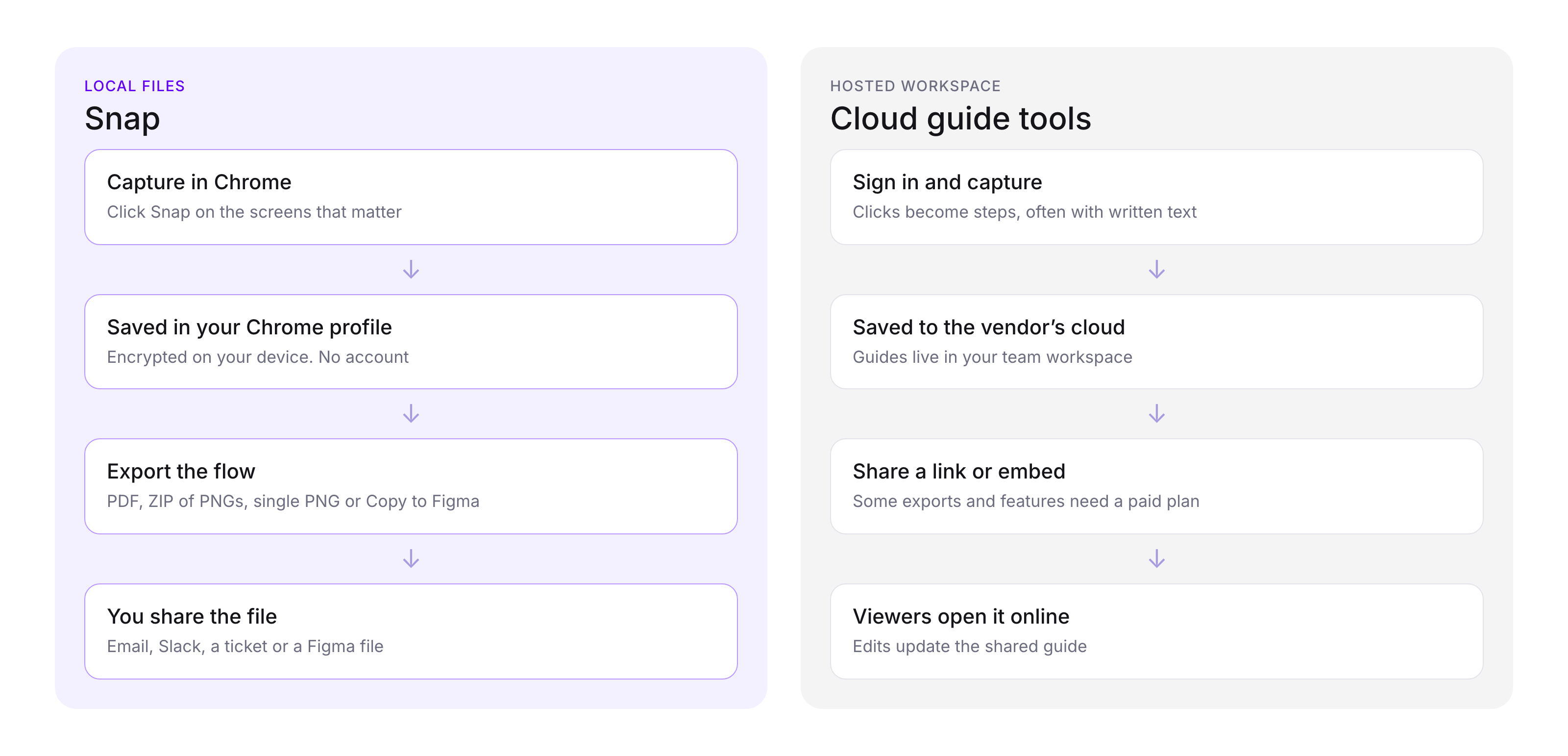
Tool comparisons
Compare Scribe and Snap on price, privacy, exports and redaction, and see which one fits your step-by-step guides.
Read article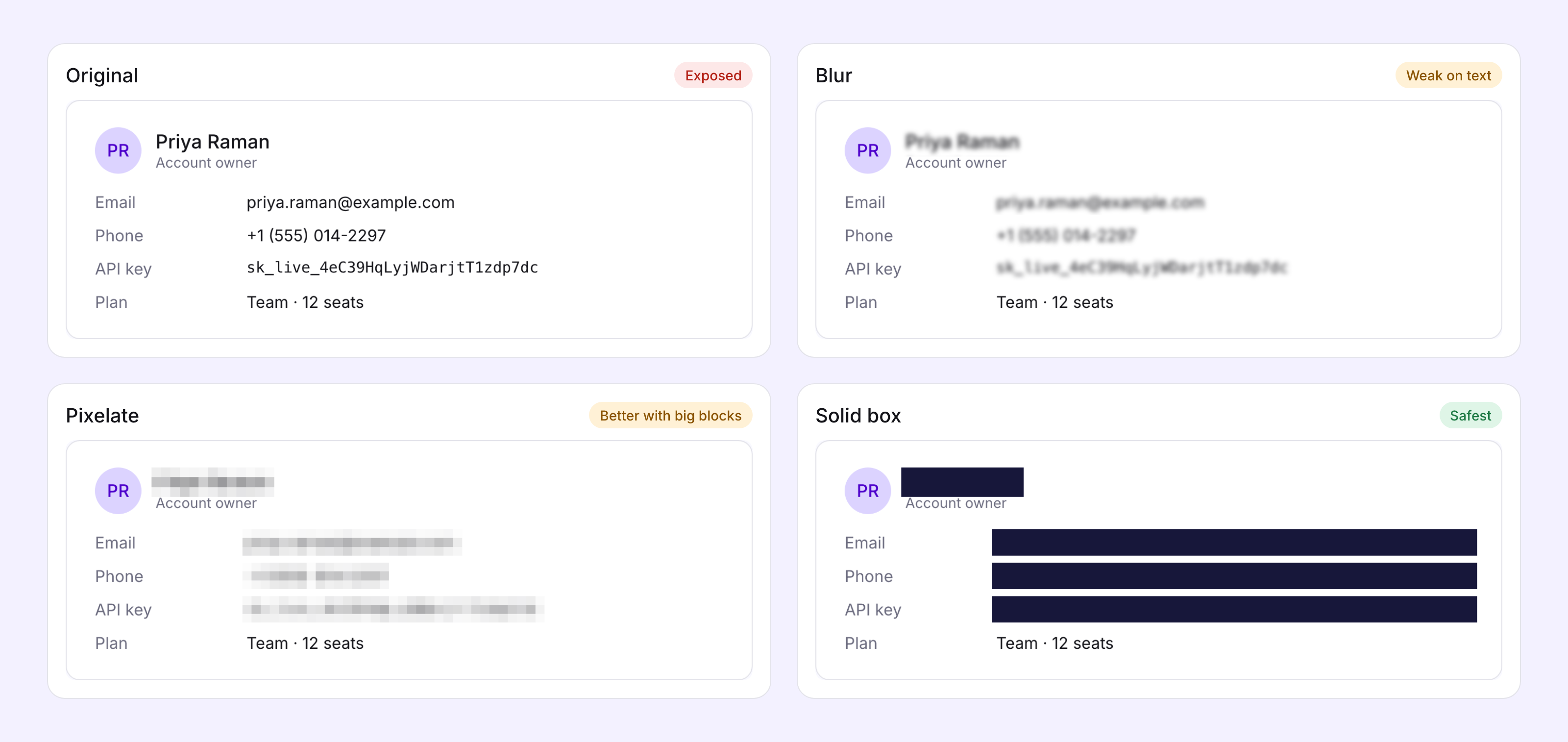
Screenshot privacy
Hide emails, API keys and customer data the safe way, and learn how to redact on Windows, Mac and Chrome.
Read article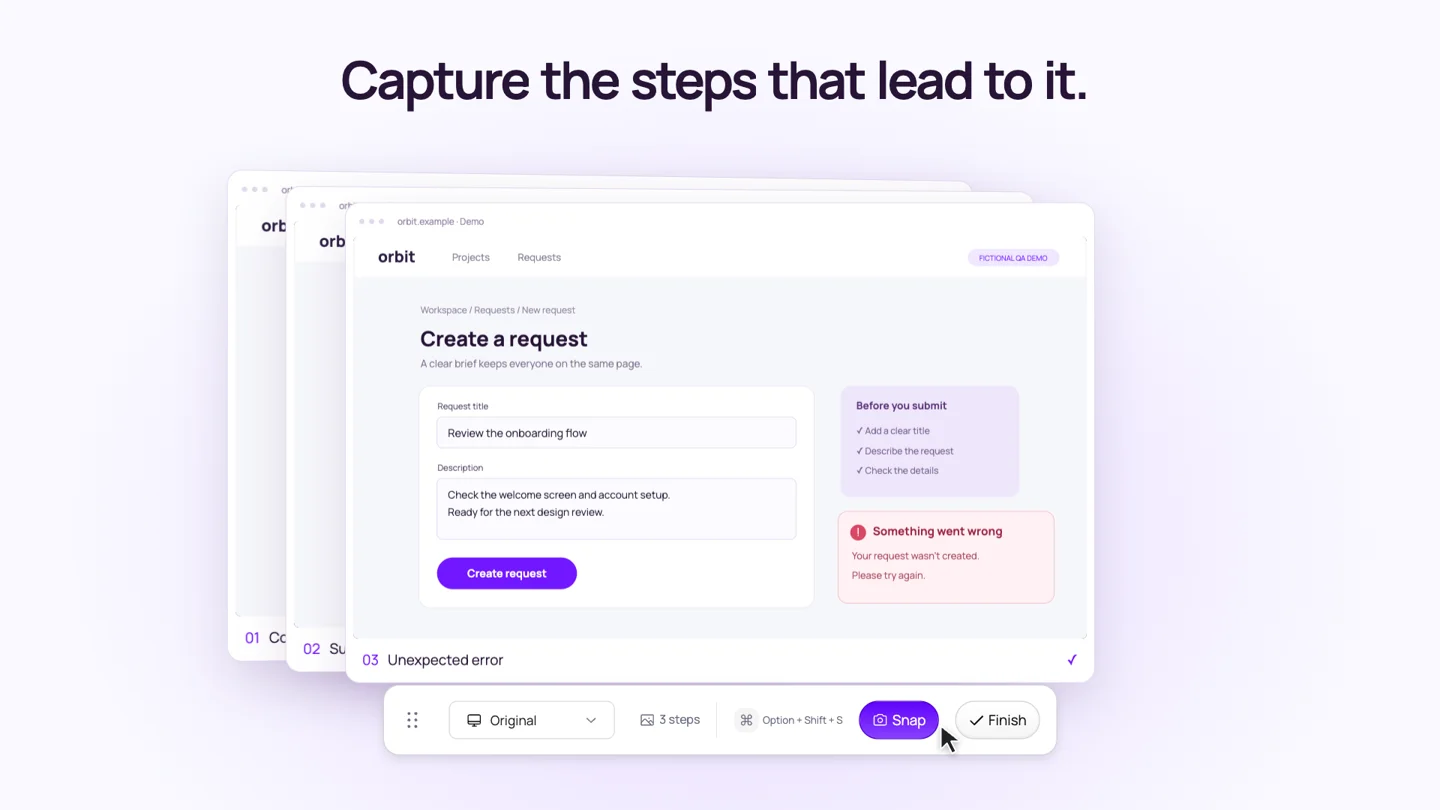
QA & engineering
Write UI bug reports that are easier to reproduce. Learn which screens to capture, what context to include, and how to export the steps as a PDF.
Read articleUX research
Capture competitor onboarding flows with useful context. Follow a repeatable research workflow, record observations, and prepare evidence for a design review.
Read articleTool comparisons
Compare 10 Chrome screenshot extensions for full-page capture, annotations, product flows and video frames. Find the right tool for the screenshots you take.
Read articleProduct & design
Compare seven screenshot tools for UX research, UI inspection, design feedback and documentation. Choose a tool that fits your design workflow.
Read articleScreenshot workflows
Take multiple screenshots in Chrome, keep them in order and share the sequence as a PDF, ZIP or Figma reference. A practical guide with and without Snap.
Read articleProduct & design
Capture a user journey in Chrome, annotate the important moments, and turn an ordered screenshot flow into a useful design review.
Read articleQA & engineering
Make browser bugs easier to understand with ordered screenshots, clear reproduction steps, expected results, and focused annotations.
Read article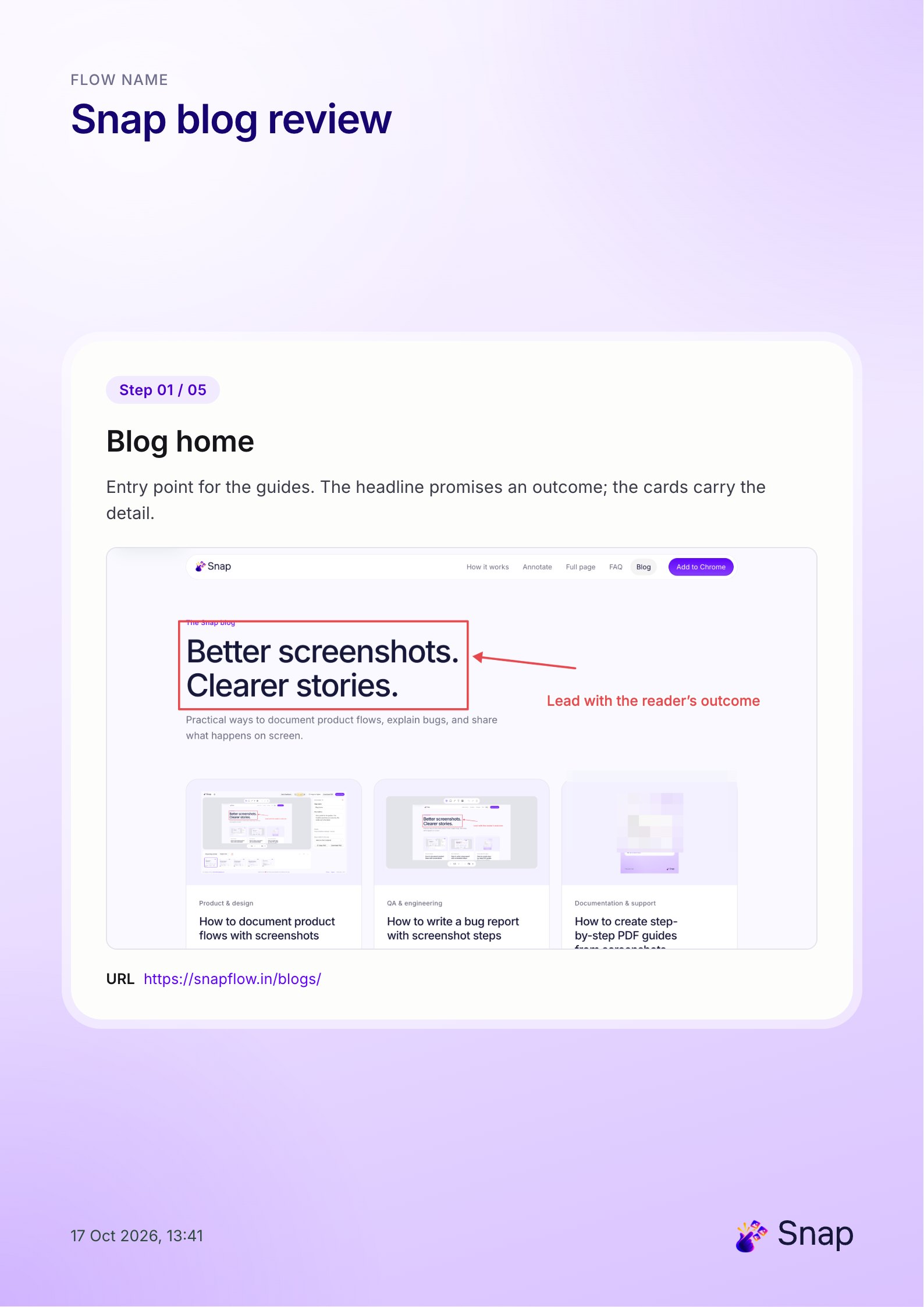
Documentation & support
Turn a browser workflow into a clear PDF guide with ordered screenshots, concise instructions, annotations, and a final sharing review.
Read article